Creatives
Analyze and Optimize Your Ad Performance at the Creative Level
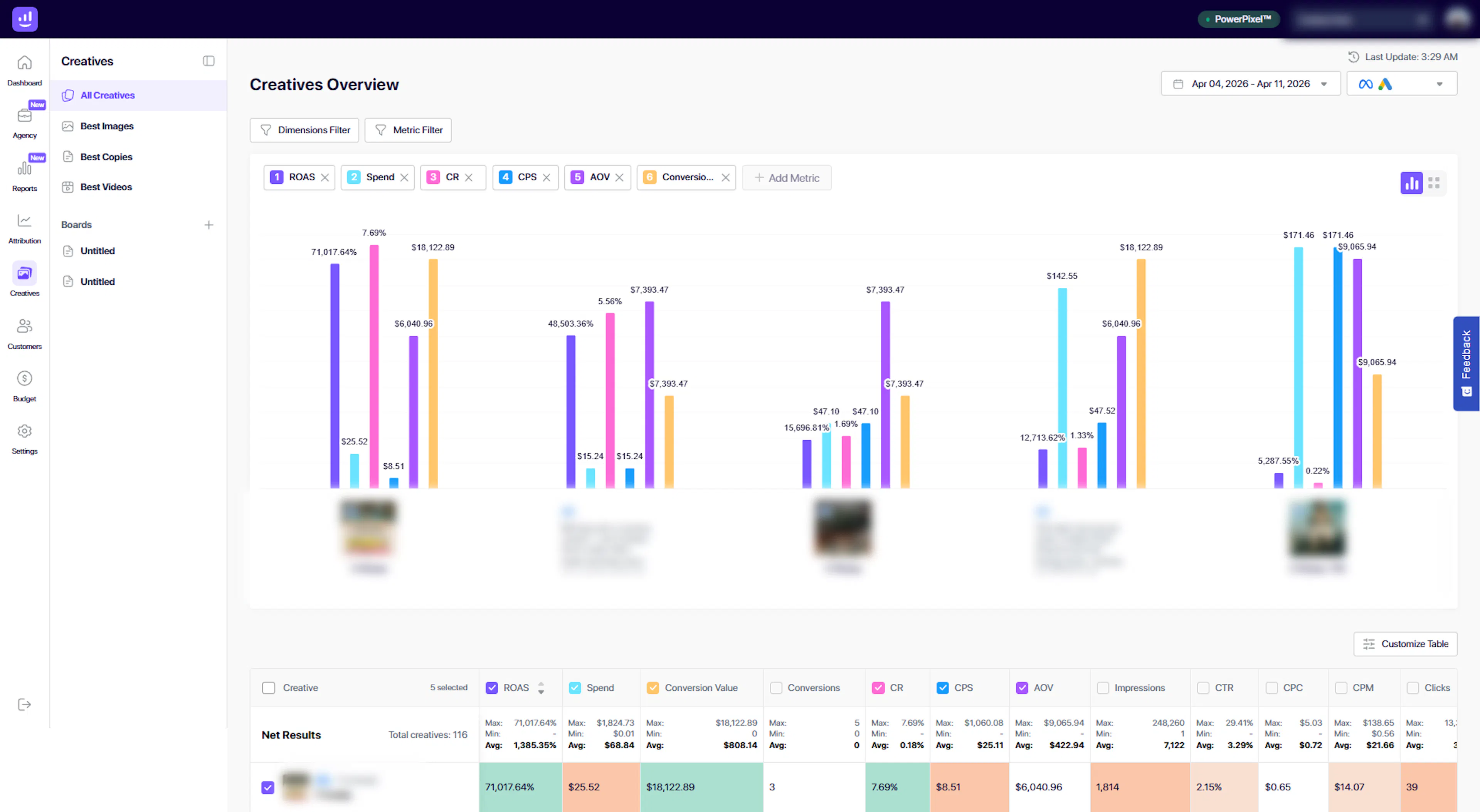
The Creatives section in Growify allows you to evaluate the performance of your ad creatives across campaigns and platforms.
Instead of guessing what works, you can clearly see which creatives drive results and use data to optimize your campaigns more effectively.
What You Can Do in Creatives
01. View Creative-Level Performance
Analyze each creative individually across your campaigns.
Track key metrics such as:
-
ROAS
-
Spend
-
Conversion Value
-
Conversions
-
CTR
-
CPC
-
CPM
-
Impressions
This helps you understand which creatives are driving performance and which are underperforming.
02. Compare Creatives Side by Side
Quickly compare multiple creatives in a single view.
-
Identify top-performing ads
-
Spot trends across messaging, visuals, and formats
-
Understand which creatives scale best
This allows you to make faster and more confident creative decisions.
03. Use Visual Charts for Insights
The Creatives Overview includes visual charts that highlight performance differences across selected creatives.
You can:
-
Compare metrics like ROAS, Spend, CR, CPS, and AOV
-
Identify patterns across creatives
-
Spot outliers instantly
This gives you a high-level understanding before diving into detailed data.
04. Customize Metrics and Filters
Tailor your analysis based on what matters most.
-
Use Dimension Filters to segment creatives
-
Use Metric Filters to focus on specific KPIs
-
Add or remove metrics using Add Metric
This ensures your view is always aligned with your analysis goals.
05. Analyze Detailed Performance Tables
The table view provides a comprehensive breakdown of all creatives.
Each row represents a creative and includes:
-
Campaign association
-
Performance metrics
-
Engagement data
-
Revenue and efficiency indicators
Color-coded cells help you quickly identify:
-
High-performing creatives (strong metrics)
-
Underperforming creatives (weak metrics)
06. Customize Table Columns
You can fully customize your table view:
-
Add or remove metrics
-
Reorder columns
-
Focus only on the data relevant to your workflow
Use the Customize Table option to tailor your experience.
07. Navigate Large Creative Sets Easily
Manage large volumes of creatives with built-in tools:
-
Pagination (creatives per page)
-
Scrollable data view
-
Organized structure for quick scanning
Creative Categories
Growify organizes creatives into different views to simplify analysis:
-
All Creatives – Full list of all creatives across campaigns
-
Best Images – Top-performing image creatives
-
Best Copies – High-performing ad copy variations
-
Best Videos – Top-performing video creatives
This helps you quickly focus on the type of creative you want to optimize.
How It Works
-
Open the Creatives section
-
Select filters and metrics
-
Review visual charts for high-level insights
-
Analyze the detailed table for deeper performance
-
Identify top-performing creatives
-
Use insights to improve or scale campaigns
Why It Matters
Creative performance is one of the biggest drivers of marketing success.
With Growify, you can:
-
Identify winning creatives faster
-
Reduce wasted ad spend
-
Improve campaign performance
-
Scale what works with confidence
Important Notes
-
Creative data is based on your connected ad platforms (e.g. Meta)
-
Accuracy depends on proper tracking and integrations
-
Some platforms may require UTMs for full visibility
Pro Tip
Use Creatives together with Reports and Attribution:
-
Creatives → What content performs best
-
Reports → Overall campaign performance
-
Attribution → Where conversions come from
Together, they give you a complete picture of your marketing performance.
Last updated 4 days ago
Built with Documentation.AI