Budget
Track, Control, and Optimize Your Ad Spend
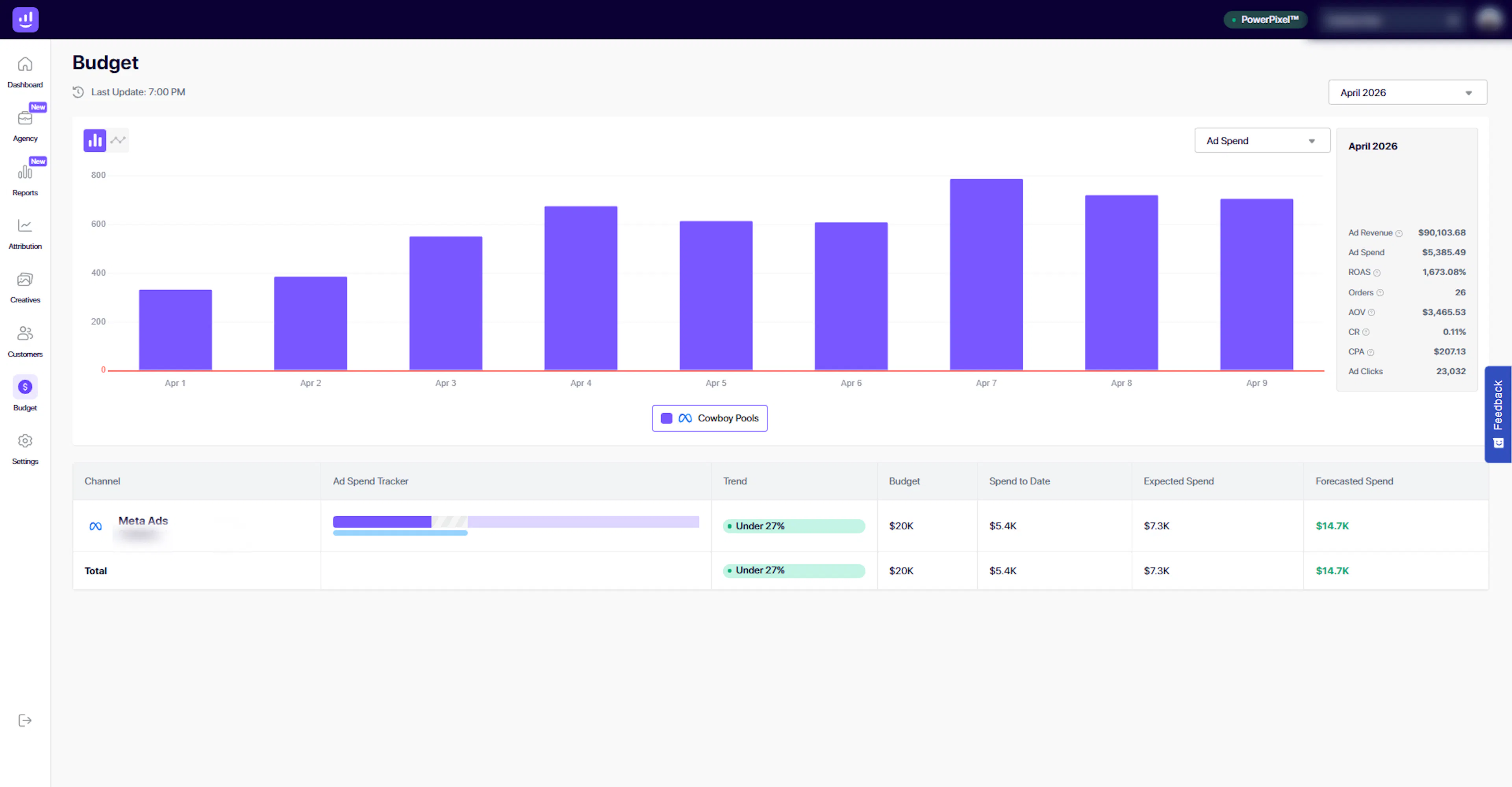
The Budget section in Growify helps you monitor your advertising spend, compare it against your planned budget, and stay on track throughout the month.
It provides a clear view of how much you’ve spent, how much you’re expected to spend, and whether you are pacing correctly.
What You Can Do in Budget
01. Monitor Daily Ad Spend Trends
Visualize your ad spend over time with a daily chart.
You can:
-
Track spending patterns across the selected period
-
Identify spikes or drops in spend
-
Understand how your budget is being distributed over time
This helps you stay in control of your spending behavior.
02. View Key Performance Metrics
The side panel provides a quick summary of important metrics for the selected period:
-
Ad Revenue
-
Ad Spend
-
ROAS
-
Orders
-
Average Order Value (AOV)
-
Conversion Rate (CR)
-
Cost per Acquisition (CPA)
-
Ad Clicks
This gives you a quick snapshot of how efficiently your budget is performing.
03. Track Budget vs Actual Spend
Compare your planned budget against actual spend for each channel.
For each channel (e.g. Meta Ads), you can view:
-
Total budget
-
Spend to date
-
Expected spend
-
Forecasted spend
This helps you understand whether you are on track, under-spending, or over-spending.
04. Monitor Budget Pacing
Growify automatically evaluates your spend pacing and highlights it in the Trend column.
Examples include:
-
Under pacing – spending below expected levels
-
On track – aligned with budget plan
-
Over pacing – spending faster than planned
This allows you to take action before issues impact performance.
05. Analyze Forecasted Spend
Growify estimates how much you are likely to spend by the end of the selected period.
-
Forecasted spend helps you anticipate budget usage
-
Compare it with your total budget to avoid overspending
This gives you forward-looking visibility, not just historical data.
06. Break Down Spend by Channel
View your budget and spend at the channel level.
-
Identify which channels are consuming budget
-
Evaluate efficiency across platforms
-
Adjust allocation based on performance
How It Works
-
Select a time period (e.g. current month)
-
Monitor daily spend trends in the chart
-
Review key performance metrics
-
Compare budget vs actual spend
-
Analyze pacing and forecasts
-
Adjust your budget allocation as needed
Why It Matters
Without proper budget tracking, it’s easy to overspend or miss growth opportunities.
With Growify, you can:
-
Stay aligned with your budget plan
-
Prevent overspending early
-
Identify underutilized budget
-
Allocate spend more efficiently
-
Improve overall ROI
Important Notes
-
Budget tracking depends on your connected ad platforms
-
Forecasts are based on current spending trends and may vary
-
Accurate pacing requires consistent and up-to-date data
Pro Tip
Use Budget together with Reports and Attribution:
-
Budget → How much you’re spending and pacing
-
Reports → How that spend is performing
-
Attribution → Where conversions are coming from
This gives you full control over both spend and performance.
Last updated 5 days ago
Built with Documentation.AI